
Starlink Installation Dubai: Why Professional Setup Matters Here
Starlink installation Dubai customers ask us for is rarely a simple plug-and-play job. Dubai’s villas have flat roofs with parapet walls, water tanks, AC condensers and satellite dishes competing for space; communities have palm trees and neighbouring homes close by; apartment towers limit what can be mounted on balconies; and summer heat, humidity and sandstorms are hard on cables and mounts. A dish that loses its view of the sky for a few seconds every few minutes causes frozen video calls and buffering, even if the speed test looks fine. Professional placement, mounting and cabling solves these problems from day one.
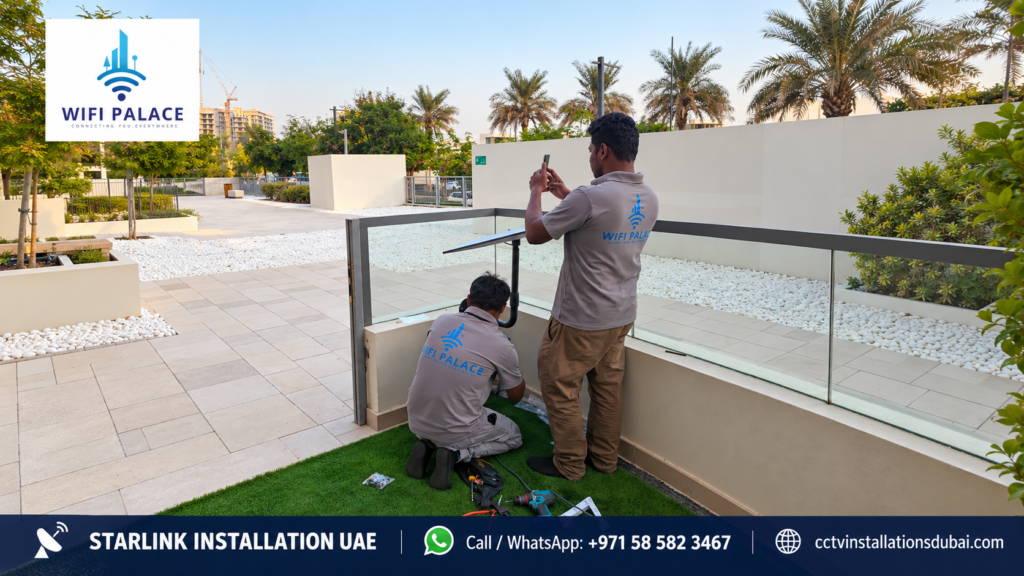
What We Do on a Dubai Starlink Installation
| Step | What happens |
|---|---|
| Sky-view survey | Obstruction check with the Starlink app plus a physical roof survey |
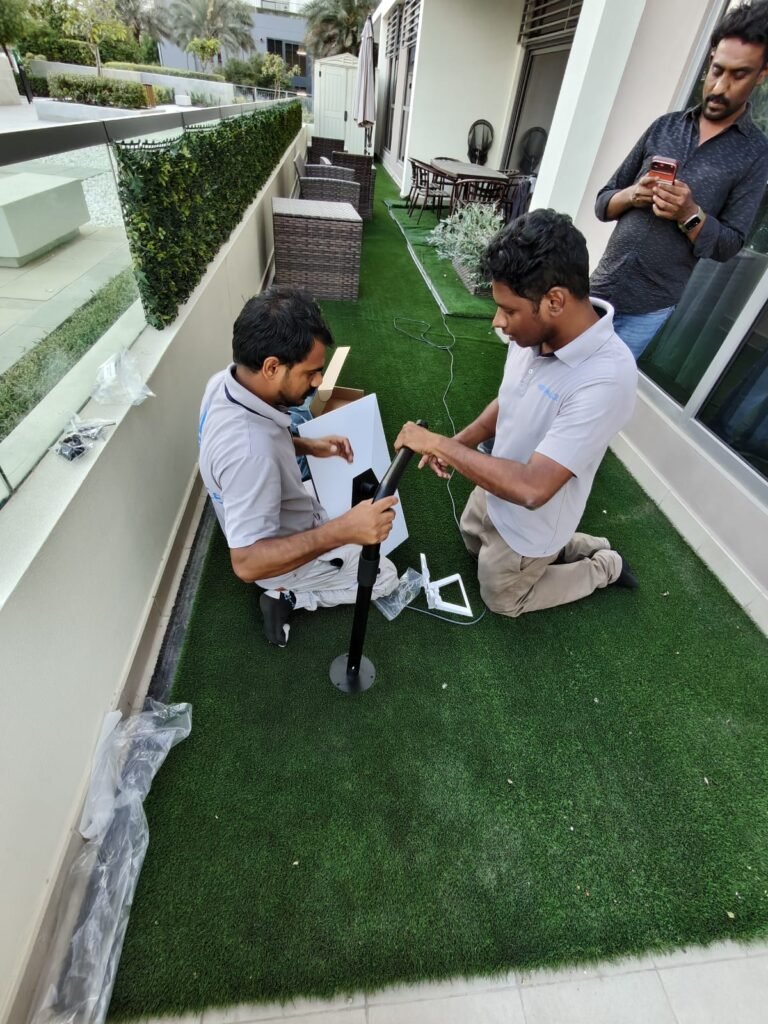
| Mount selection | Non-penetrating roof mount, parapet or wall bracket, or pole mount to clear obstructions |
| Cable routing | Neat route from roof to router through ducts, ceilings or UV-resistant conduit, with sealed wall entries |
| Router placement | Central position for best coverage, or connection into your existing network |
| Mesh WiFi (optional) | Extra access points so every room, the majlis, garden and pool area are covered |
| Testing and handover | Speed tests room by room, app setup, secure WiFi name and password |
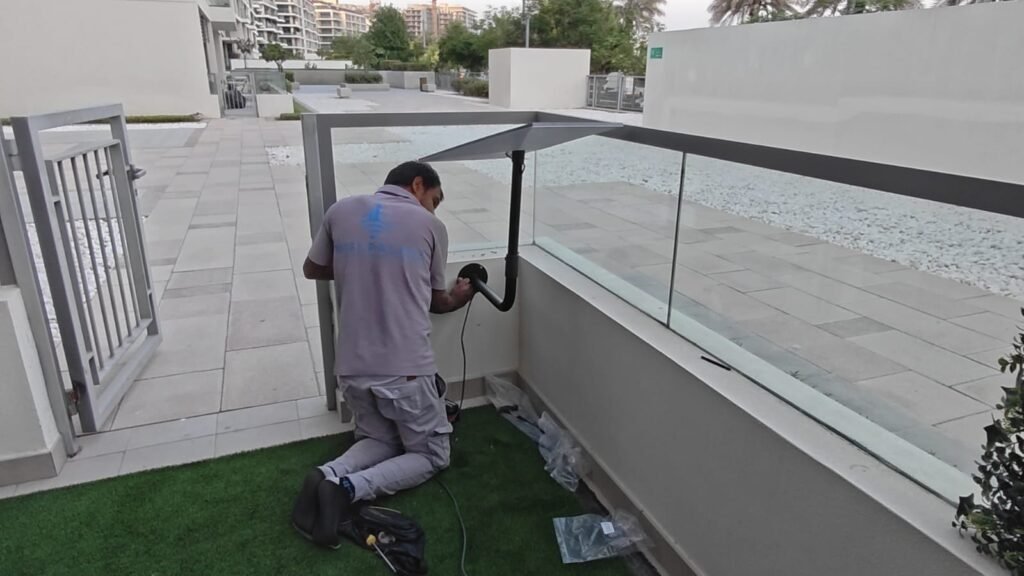
Starlink for Dubai Villas
Villas in communities such as Arabian Ranches, Damac Hills, Dubai Hills, Emirates Hills, Jumeirah, Al Barsha, Mirdif, Al Khawaneej and Al Warqa are our most common Starlink jobs. Owners usually want Starlink as a primary connection in areas with limited fibre, or as backup internet so working from home never stops. The key challenges are finding the clearest spot on the roof, running the cable neatly down to the router, and extending WiFi across multiple floors and the garden.
Starlink for Dubai Apartments
Apartments are harder because the dish needs a clear view of the sky and most buildings do not allow roof access or permanent fixtures on balconies. Some high-floor apartments with open balconies facing an unobstructed sky can work with a balcony mount, subject to building rules. We check the obstruction map first and tell you honestly if your apartment is suitable before you spend money on installation.
Starlink for Dubai Businesses
Offices, shops, warehouses and clinics use Starlink as backup internet so card machines, cloud systems and video calls keep working if the main line fails. We connect Starlink to a dual-WAN router or firewall for automatic failover and can combine it with CCTV remote viewing for sites without fixed internet.
Starlink for Farms, Camps and Remote Sites Around Dubai
Farms and estates in areas such as Al Awir, Al Khawaneej, Lehbab, Margham and Hatta, desert camps and event sites often have no fibre at all. We design long-distance links between buildings, weatherproof installations and, where needed, power solutions so internet reaches every part of the site. See our Starlink farm installation page.
Starlink Installation Dubai: Mesh WiFi for Large Villas
A Starlink dish can deliver fast internet to the router, but thick concrete walls, multiple floors and outdoor areas mean the router alone rarely covers a whole Dubai villa. We design a mesh WiFi or wired access-point system that gives strong signal in every bedroom, the majlis, the kitchen, the garden, the pool area and even the driver’s or maid’s room. Where possible we run network cable between access points for the most stable connection, and test speeds in each room before handover. Read more on our Starlink WiFi network integration page.
Weatherproofing for Dubai Conditions
Summer roof temperatures in Dubai are extreme, sandstorms carry fine dust, and humidity is high near the coast. We use UV-resistant conduit for exposed cable runs, seal every wall and roof entry, secure mounts with corrosion-resistant fixings, and position the dish so sand and debris are less likely to collect around it. These details are what keep a Starlink installation reliable through every season.
Starlink Installation Dubai Pricing
Our standard residential installation starts from AED 699 including VAT and covers the site assessment, dish mounting with standard hardware, a standard cable run and router setup. Pole mounts, long cable runs, roof works, mesh WiFi systems, dual-WAN failover and specialist sites are quoted clearly in advance. The Starlink kit and subscription are purchased directly from Starlink. See the full breakdown on our Starlink installation cost UAE page.
How to Book
- Send your location and photos of the roof and router area on WhatsApp to 058 582 3467.
- We check the obstruction map and confirm the best mounting option and price.
- We install, test and hand over, usually in a single visit for standard villas.
Starlink Installation Dubai: FAQs
Can you install Starlink in an apartment?
Sometimes, if the balcony has a clear view of the sky and the building allows it. We check suitability before installation.
Can Starlink be a backup to my fibre?
Yes. We can set up automatic failover so your internet switches to Starlink when the main line fails.
Do I need to buy the kit first?
Yes, the kit and subscription are bought from Starlink. We can advise which option to choose before you order.
How long does installation take?
Most standard villa installations are completed in a single visit of a few hours.
Common Problems With DIY Starlink in Dubai
| Problem | Cause | Our fix |
|---|---|---|
| Video calls freeze every few minutes | Palms, parapets or water tanks block part of the sky | Re-position or raise the dish on a pole mount |
| Weak WiFi upstairs or in the garden | Single router behind concrete walls | Mesh WiFi or wired access points |
| Dish moves or falls in strong wind | Ground stand or unsecured base | Secure roof, wall or pole mount |
| Cable damage on the roof | Exposed cable baking in the sun | UV-resistant conduit and neat routing |
| Water or dust inside the wall | Unsealed cable entry | Proper sealed wall or roof entry |
Why Choose Us for Starlink Installation Dubai
We are a Dubai-based technology and security installer with experience in networking, WiFi, CCTV and structured cabling, so we see Starlink as part of a complete home or business network rather than just a dish on the roof. Every job is planned around your property, priced clearly in advance and finished with testing in the rooms that matter to you. If you also need CCTV or access control, the same team can install everything together.
Can you fix a Starlink I installed myself?
Yes. We regularly re-mount dishes, re-route cables and add mesh WiFi for customers who started with a DIY setup.
Do you work in Hatta and desert areas?
Yes. We install Starlink for farms, homes and camps outside the city, with weatherproof and power solutions where needed.
Starlink Installation Dubai for Home Offices and Remote Workers
Many Dubai residents work from home for international companies and cannot afford a dropped connection during meetings. A properly placed dish, a stable cable run and a strong WiFi signal in the home office make Starlink a reliable primary or backup connection. We can also prioritise your work devices on the network, set up a wired connection to your desk, and combine Starlink with your existing fibre so the faster line is used automatically and the other takes over if one fails.
Starlink for Majlis, Guest Houses and Outdoor Areas
Families often want internet in a separate majlis, a guest house, an outdoor kitchen or the pool area. We extend the network using outdoor-rated access points and buried or wall-mounted cable, so guests and family enjoy fast WiFi everywhere on the plot.
Will Starlink work during a sandstorm?
Heavy dust and storms can affect performance temporarily. A secure mount and clean dish surface help it recover quickly once conditions improve.
Can you install Starlink on a rented villa?
Yes, with your landlord’s approval. Non-penetrating roof mounts and removable fixings make it easy to take the system with you when you move.
Do you provide support after installation?
Yes. If you notice dropouts, slow WiFi or a moved dish, contact us on WhatsApp and we will diagnose the problem, remotely where possible, and visit if needed.
Send your Dubai location and a roof photo on WhatsApp today to book your Starlink installation Dubai survey and get a clear, written price.
We serve every Dubai community, from the Palm to Hatta.