Starlink Installation Abu Dhabi: Professional Setup for Villas, Farms, Camps and Boats
Starlink installation Abu Dhabi customers book with us is for the jobs the self-install guide does not cover well: a dish fixed safely on a villa roof in Khalifa City, a long cable run to a farm house in Al Wathba, WiFi that reaches every room of a large villa on Saadiyat, a desert camp in Liwa or a boat at a marina on Yas Island. Starlink is designed so anyone can plug it in, but getting a clear view of the sky, a weather-proof mount, a neat cable and strong WiFi throughout a large property is where a professional installer makes the difference.
We install Starlink across Abu Dhabi city, the islands, the mainland communities, Al Ain and the Western Region. Professional Starlink installation starts from AED 699 including VAT. You buy the Starlink kit and choose your subscription directly from Starlink; we handle the survey, mounting, cabling, router placement and WiFi so it works properly from day one.
Starlink Installation Abu Dhabi: Why Use a Professional Installer?
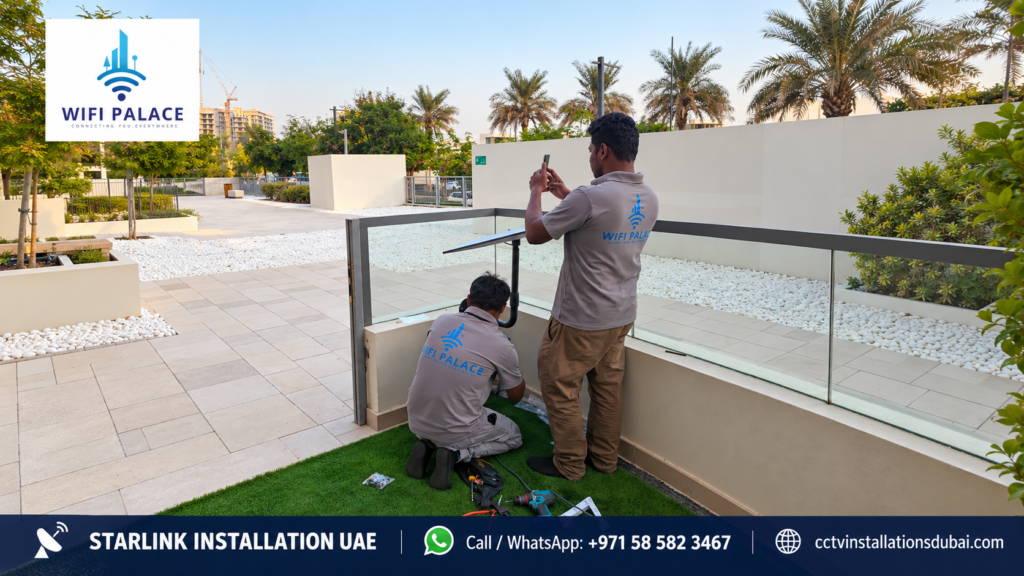
The Starlink app will tell you if the dish has obstructions, but it will not drill a roof, seal a cable entry, run 30 metres of cable through a villa or set up mesh WiFi. These are the most common problems we solve:
- Obstructions. Palm trees, neighbouring buildings, water tanks and parapet walls cause short dropouts. We find a mounting point with a clear view before drilling.
- Unsafe mounting. A dish left loose on a roof can move in strong wind. We fix it on a proper wall, pole or roof mount.
- Messy or unsafe cable. Cables run through windows get pinched and damaged by sun. We route and protect the cable neatly.
- Weak WiFi inside. Abu Dhabi villas have thick concrete walls. One router is rarely enough. We add mesh or wired access points.
- Power problems at remote sites. Farms and camps need stable power. We plan the power supply and protection.
What Is Included in Our Starlink Installation Abu Dhabi Service
| Step | What we do |
|---|---|
| Sky view check | We check the sky view at possible mount points using the Starlink app and our experience of local obstructions |
| Mount selection | Wall, pole, parapet or roof mount chosen for your property |
| Fixing | Dish secured with the correct hardware and checked for movement |
| Cable route | Neat, protected route from the dish to the router, with a sealed entry point |
| Router placement | Router positioned centrally for the best coverage |
| Activation help | Help activating the kit in the Starlink app on your account |
| Speed and coverage test | We test speed and WiFi in the main rooms before we leave |
| Handover | We show you the app, obstruction map and basic troubleshooting |
Extra cable, special mounts, mesh WiFi and network integration are quoted separately. See the full breakdown on our Starlink installation cost UAE page.
Starlink Installation Abu Dhabi for Villas
Villas are the most common Starlink installation Abu Dhabi job we do. Families use Starlink as their main connection where fibre is slow or not yet available, or as a backup so work calls, school classes and streaming keep running during an outage.
Villa communities we cover
- Khalifa City, Mohammed Bin Zayed City and Shakhbout City
- Al Raha, Al Raha Gardens and Al Bandar
- Yas Island and Saadiyat Island
- Al Reef, Al Ghadeer and Hydra Village
- Al Shamkha, Al Falah and Riyadh City
- Abu Dhabi city villas in Al Bateen, Al Mushrif and Al Karamah
Mesh WiFi for large villas
A large villa with two or three floors, a majlis and a garden almost always needs more than the Starlink router. We add mesh nodes or ceiling access points, ideally connected by cable, so every floor and the garden have strong WiFi. If you already have a router or mesh system, we connect Starlink to it. Read more on our Starlink WiFi network integration page.
Starlink Installation Abu Dhabi for Farms
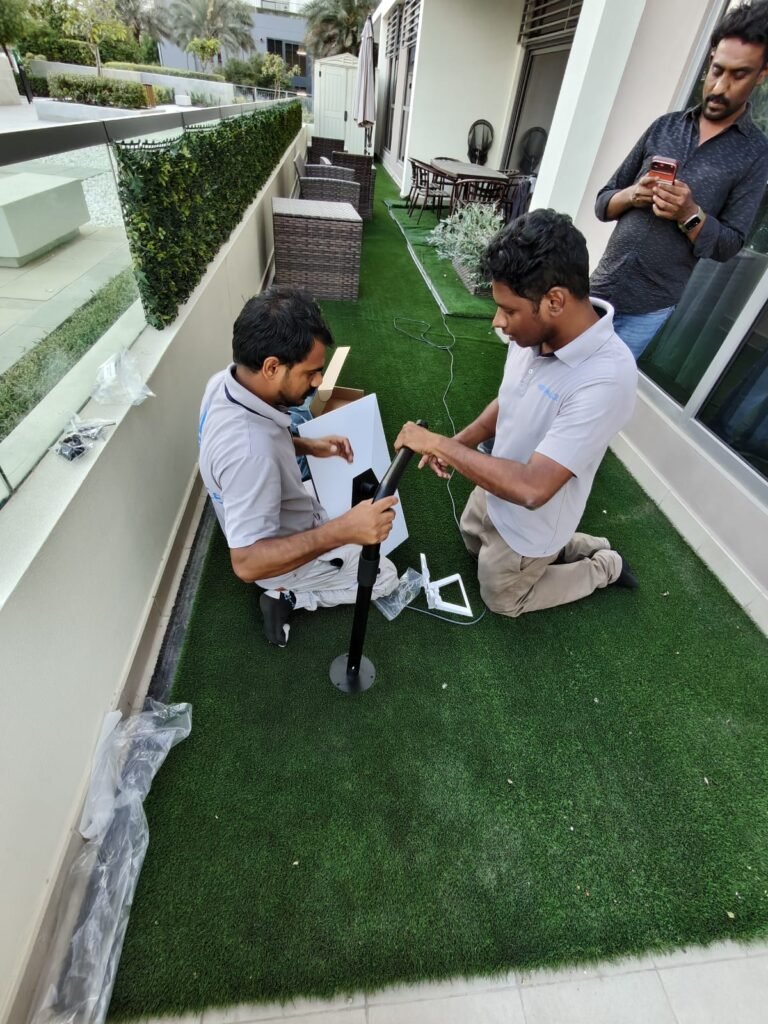
Farms in Al Wathba, Al Khatim, Sweihan, Al Ain and the Western Region are often far from fibre and have weak mobile signal. Starlink gives the farm house, staff rooms and office a reliable connection, and lets you watch CCTV on your phone from anywhere.
- Long cable runs. The dish may need to be far from the house for a clear sky view. We plan the cable route and, where needed, a network extension.
- WiFi across buildings. Outdoor access points or point-to-point links can carry WiFi to stores, animal pens and staff accommodation.
- Farm CCTV. We can install cameras on the same network. See our Starlink farm installation page.
- Power. We check the power supply and add surge protection or a UPS where power is unstable.
Starlink Installation Abu Dhabi for Desert Camps
Winter camps in Liwa, Al Khatim, Remah and near Al Ain are popular with families and companies. Starlink lets guests stay connected and lets organisers take payments and run music and lighting controls. We set up the dish on a stable ground pole or tripod, run cable to a weather-proof router location and add outdoor WiFi to cover tents and seating. If the camp moves, the kit can be packed and set up again.
Starlink Installation Abu Dhabi for Boats and Yachts
Abu Dhabi has busy marinas at Yas Marina, Al Bateen, Emirates Palace and Eastern Mangroves. For boats, Starlink needs a marine-grade mount, careful cable routing through the hull or superstructure and a plan that allows use on the water. Check that your Starlink plan supports in-motion or maritime use before you buy. See our Starlink yacht installation page.
Starlink Installation Abu Dhabi for Businesses and Sites
Construction sites, labour camps, warehouses in Mussafah and ICAD, and remote offices use Starlink as main internet or as a backup line. Businesses often combine Starlink with an existing connection using a dual-WAN router so the internet switches automatically if one line fails. For sites that move, the dish can be relocated as the project progresses. See Starlink construction site internet.
Choosing the Right Starlink Kit for Abu Dhabi
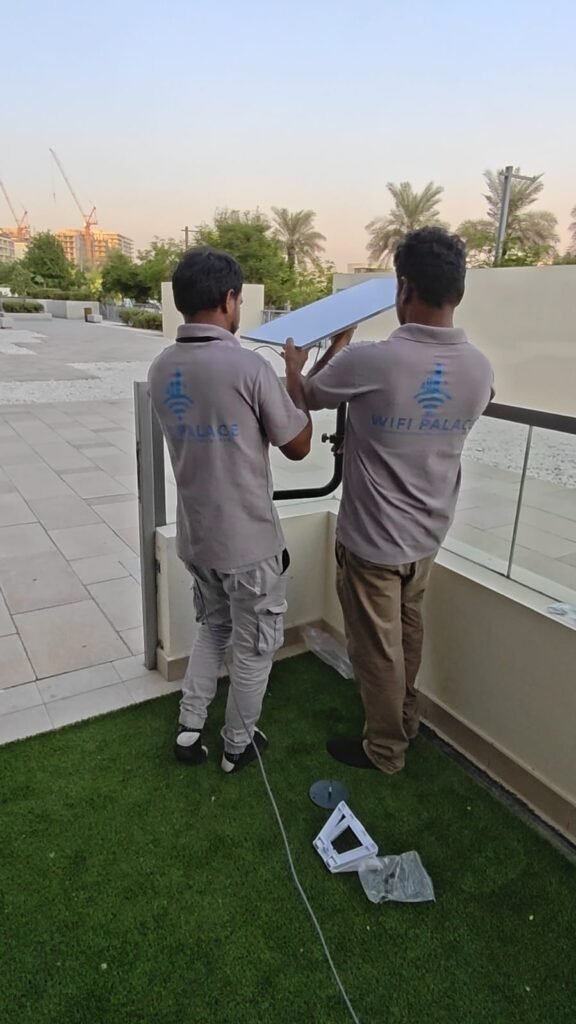
Starlink sells more than one kit, and the right one depends on how you will use it. We are happy to advise before you buy, so you do not end up with the wrong hardware.
| Use | Usually the better fit | Why |
|---|---|---|
| Villa or farm house used every day | Standard kit | Designed for fixed installation, stronger performance for many users |
| Weekend camping, car travel, small cabins | Mini kit | Compact, lower power, easy to pack and move |
| Boats and yachts | A kit and plan that support use in motion | Normal home plans may not allow use on the water |
| Business with many users | Standard kit, often with a separate business router | Better control of users, guest WiFi and backup internet |
Starlink’s hardware and plans change from time to time, so always confirm the current options on the official website before ordering. Tell us how you plan to use it and we will tell you honestly which option suits your property.
Mounting Options Explained
The mount is the most important part of any Starlink installation Abu Dhabi homes and businesses need. A dish that moves, tilts or sits in a shadow will drop out. These are the mounts we use most:
- Wall mount. Fixed high on an outside wall or parapet. Neat and secure for most villas.
- Pole mount. A steel pole fixed to the roof or wall raises the dish above parapets, water tanks and nearby trees.
- Roof ridge or flat-roof mount. For flat concrete roofs we use a fixed base or a weighted, non-penetrating mount where drilling is not allowed.
- Ground pole or tripod. For farms and camps where the best sky view is away from buildings.
- Marine mount. For boats, a corrosion-resistant mount on the arch, hardtop or rail.
Every mount we fit is checked for movement and cable strain, and cable entries are sealed against dust and water.
Cable Runs and Router Placement
The cable that comes in the box may not be long enough to reach from the best dish position to a central router position in a large villa or farm. Longer official cables are available, and for very long distances we plan a network extension so the router sits where the WiFi is needed. We never leave cable loose across roofs or squeezed through window frames; it is routed along walls, protected from the sun where needed and brought inside through a sealed entry.
The router should sit in a cool, central, indoor location. In Abu Dhabi summers, a router left in a hot store room or on an outside wall can overheat and restart. We choose the location with ventilation in mind.
Starlink as Backup Internet for Abu Dhabi Businesses
For offices, clinics, shops and warehouses, an internet outage means lost sales and stopped work. Starlink is a strong backup line because it does not rely on the same cables as your main connection. We install a dual-WAN or failover router so that when your main line fails, traffic switches to Starlink automatically, and switches back when the main line returns. Card machines, POS systems, CCTV remote viewing and cloud software keep working.
Areas We Cover Across Abu Dhabi Emirate
| Region | Examples |
|---|---|
| Abu Dhabi Island | Al Bateen, Al Mushrif, Al Karamah, Al Khalidiyah, Corniche |
| Islands | Yas, Saadiyat, Al Reem, Al Maryah, Al Hudayriyat |
| Mainland communities | Khalifa City, MBZ City, Al Raha, Al Reef, Al Shamkha, Shakhbout City |
| Industrial | Mussafah, ICAD, KEZAD |
| Farms and outskirts | Al Wathba, Sweihan, Al Khatim, Al Samha |
| Al Ain | City villas, farms and desert areas |
| Western Region | Liwa, Madinat Zayed, Ruwais, Ghayathi |
Why Choose Us for Starlink Installation Abu Dhabi
- Clear price: installation from AED 699 including VAT.
- Safe, secure mounts and neat, protected cabling.
- Whole-property WiFi, not just one router.
- Experience with villas, farms, camps, boats and business sites.
- CCTV and networking from the same team.
- 1-year workmanship warranty and local support.
Starlink Installation Abu Dhabi Price
Our Starlink installation Abu Dhabi price starts from AED 699 including VAT for a standard installation. The Starlink kit and monthly subscription are bought directly from Starlink and are not part of our price.
| Item | Who provides it |
|---|---|
| Starlink kit (dish, router, cable) | Bought by you directly from Starlink |
| Monthly subscription | Chosen and paid by you directly to Starlink |
| Standard installation | From AED 699 including VAT |
| Longer cable, special mounts, poles | Quoted after survey |
| Mesh WiFi and network integration | Quoted after survey |
| Travel to far sites (Western Region, deep desert) | Confirmed in your quotation |
Payment is 50% advance and 50% on completion by cash, bank transfer, card, payment link or cheque. All installation work includes a 1-year workmanship warranty.
How to Prepare for Your Starlink Installation Abu Dhabi Visit
- Get your kit. Order the Starlink kit from the official Starlink website and keep it sealed until we arrive if you prefer us to check it.
- Check the app. Download the Starlink app and log in to your account.
- Roof access. Make sure we can reach the roof or the planned mounting point.
- Building permission. If you live in a tower or managed community, check whether you need building management approval to mount on the roof or balcony.
- Router location. Think about where you want the main router, ideally a central point with a power socket.
- Send photos. A few photos of the roof and the area around the house on WhatsApp help us plan the right mount and cable length.
Common Starlink Problems We Fix in Abu Dhabi
- Frequent short dropouts. Usually an obstruction. We move the dish to a clearer spot.
- Good speed near the router, poor elsewhere. Walls block WiFi. We add mesh or access points.
- Dish moved after wind. Not fixed properly. We re-mount it securely.
- Cable damaged by sun or doors. We replace and protect the cable.
- Router overheating. Installed in a hot room or outdoors without protection. We relocate it.
Starlink Installation Abu Dhabi: What Happens on the Day
Most customers like to know what to expect before the team arrives. A typical Starlink installation Abu Dhabi villa visit runs like this:
- Arrival and walk-around. We walk the roof and outside areas with you and agree the dish position, cable route and router location.
- Sky check. We confirm the chosen point has a clear view of the sky using the app’s obstruction check.
- Mounting. We fix the mount and dish and check it is solid.
- Cabling. We route and secure the cable to the router position and seal the entry point.
- Activation. You log in to your Starlink account and we help activate the kit.
- WiFi setup. We set your WiFi name and password and add any mesh nodes or access points.
- Testing. We test speed in the main rooms, the majlis and the garden.
- Handover. We show you the app, how to check obstructions and what to do if the connection drops.
We clean up before we leave and send you a short summary of what was installed. If anything changes later, such as new trees or a new building next door, we can move the dish. For any Starlink installation Abu Dhabi customers need outside the city, we confirm the visit time the day before so you know when to expect us.
Starlink Installation Abu Dhabi: FAQs
How long does installation take?
A standard villa installation usually takes a few hours. Farms, camps, boats and installations with mesh WiFi take longer; we confirm timing in advance.
Do you sell the Starlink kit?
No. You buy the kit and subscription directly from Starlink. We provide the installation and setup.
Can you connect Starlink to my existing WiFi?
Yes. We can connect Starlink to your existing router or mesh system, or set up a dual-WAN router with your current internet as backup.
Do you cover Al Ain and the Western Region?
Yes. We install across Abu Dhabi emirate. For far locations, travel is confirmed in the quotation.
Can Starlink run CCTV cameras?
Yes. Many farms and remote sites use Starlink so they can view CCTV remotely. We also install CCTV; see CCTV installation Abu Dhabi.
Is Starlink good in summer heat?
The dish is designed for outdoor use, but the router should be kept indoors or in a shaded, ventilated spot. We position equipment with Abu Dhabi summers in mind.
Do you also install Starlink in Dubai?
Yes. See our Starlink installation Dubai and Starlink installation UAE pages.
Book Your Starlink Installation Abu Dhabi
Send us your location, property type and a few photos of the roof or mounting area on WhatsApp at 058 582 3467. We will confirm the right mount, cable length and WiFi plan and book your Starlink installation Abu Dhabi visit.